
Backup the TYPO3 folders
Fortunately, the TYPO3 developers have also considered this when structuring the individual directories. The TYPO3 directory tree has been designed in such a way that both backups and updates can be carried out in just a few simple steps. In the first level of a directory tree, a TYPO3 installation usually contains the following directories
- fileadmin
- typo3
- vendor (from TYPO3 7)
- typo3conf
- typo3temp
- uploads
and files:
- .htaccess (or _.htaccess)
- .phpstorm.meta.php (since V. 9)
- ChangeLog (up to V. 7)
- composer.json
- composer.lock (since V. 7)
- index.php (-> The index.php is usually a symlink in the LINUX version.)
- All files from here on are not necessary for the operation of the system:
INSTALL.md
LICENSE.md
NEWS.md
README.md
SECURITY.md (since V. 9)
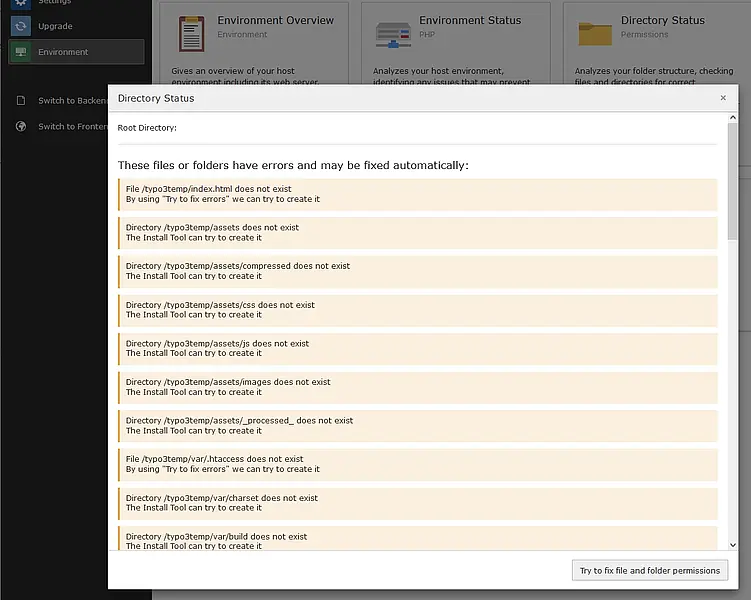
The “typo3temp” directory has been created since version 6 if it does not exist. The content or subdirectories can be restored under “Folder structure” in the Installtool.
At least the “.htaccess” file and, if necessary, the “robots.txt” file (up to TyYPO3-8) should be saved from the root directory, as these usually contain important settings for the web server. You can delete the rest of the files if you want to handle the TYPO-specific files separately. Otherwise, at least the files “composer.json” and “index.php” are necessary for a functioning TYPO3 installation.
If you have saved the files/database in a separate directory and cleaned it up there, you can pack it with a packing program of your choice (e.g., gzip, Winzip, or 7z), and you will always have a version of your homepage ready in case of an emergency. The more often and regularly you create a TYPO backup, the less data will be lost if the site crashes.